
Ever since I was a kid I’ve been fascinated with maps. It’s fascinating how they’re a representation of the real world, but one that can be manipulated and annotated.
Another aspect of it for me is the way things look from different perspectives. Even before I ever flew, I would look at the landscape from a high viewpoint and try to match things that I saw with the map that I might have. I would follow along in the car as we went on family road trips. From the first time I ever went up in the air (1968 or 1969, Paletine Airport outside of Chicago, a little Cessna 150) I’ve been looking at how things look different from up above.
As a private pilot, it can be critical to use maps as a tool. While most small planes have GPS navigation systems in them, and if you have one that doesn’t your phone or tablet can run software that will do the same thing, it’s important to be ready to deal with Mr. Murphy when he flies along with you. One of these days you’ll run out of batteries, or it will break, or the aliens will cast the GPS satellites down from the heavens, and then you’ll need to have that map so you can find a place to land.
You’ve seen plenty of pictures here of cities, airports, farms, and landmarks as seen from the air when I’ve been on commercial flights. There have even been some from when I’ve been flying myself. In addition, on some of these posts, it shouldn’t be surprising that I include maps to show the airplane’s route, weather along the way, and so on, tying together different “views” of what was going on.
In the last few weeks, thanks to a new set of cameras on the ISS that I told you about, showing live video of our planet passing below pretty much 24/7 (they can’t show anything when it’s dark, and there are a few spots where they lose communications), I’ve been able to take this game to a new level.
I’ll pop onto the website a few times a day. Sometimes it’s dark. Sometimes it’s showing nothing but a mass of white clouds. Sometimes it’s showing nothing but wide, blue ocean (and a few clouds), which is not surprising since 75% of the planet is ocean. (Why do we still call it “Earth” when “Water” would be so much more appropriate?) Sometimes it’s showing vast stretches of brown & tan land masses which could be Asia, Africa, Australia, the US Southwest, or Mars. (Okay, not Mars, just checking to see if you’re still with me.)
But sometimes you see a coastline, an island, a city, a lake, a river — some place that you can identify and get that different perspective, that connection, that new point of view. Those are the great times to be watching.
On July 4th morning between about 06:50 and 07:00, I tuned in on my iPad and immediately started seeing some of these great scenes. Islands. Coastlines. Cities. When this happens and I see something especially interesting, I will take a screen snapshot or capture on the iPad, to look up later, use as wallpaper, whatever. For whatever reason, on this morning, I had a new idea.
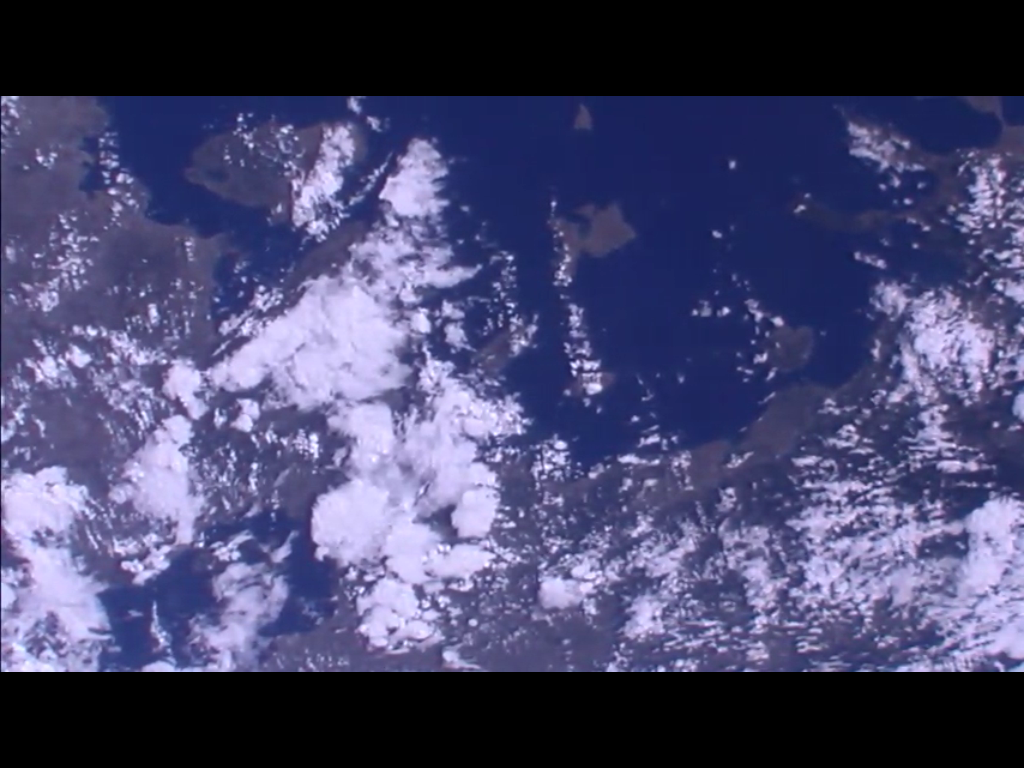 Look at all of those islands! And coastline! And bays! The jackpot!
And suddenly in my head was my new thought. If I start snapping these screen capture pictures ever two seconds or so, I would almost certainly be able to find some software that will put them together into a short movie.
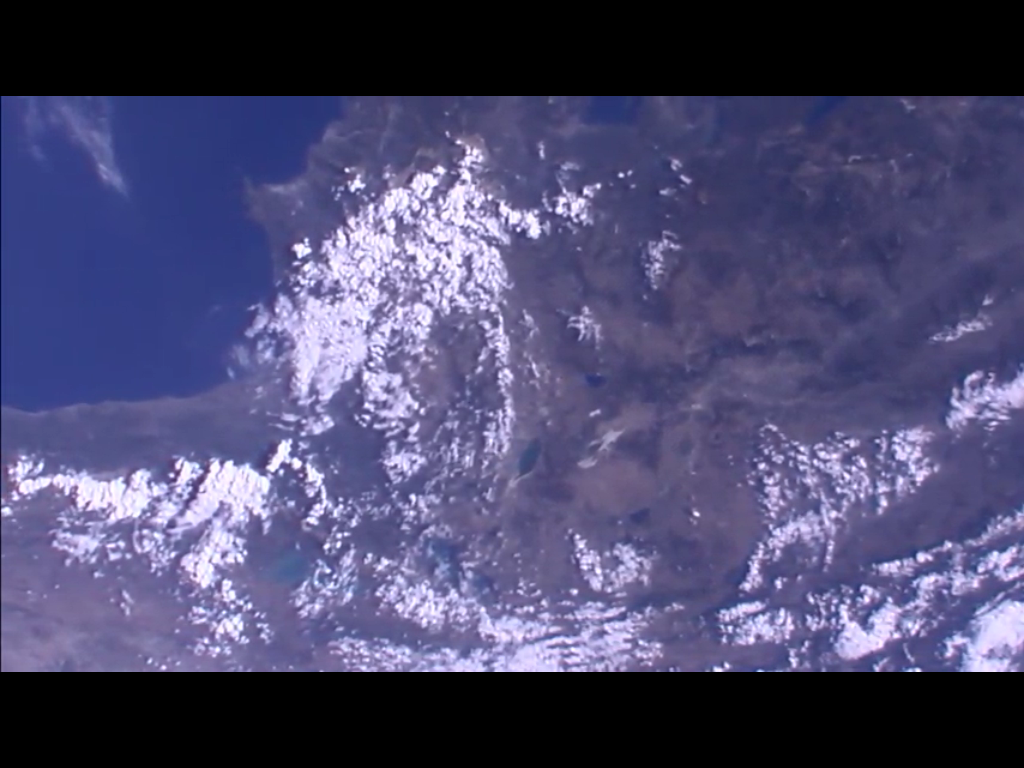 That’s what I did. The coastline and islands I had seen at first faded off to the right (we’re travelling right to left in this view) but almost immediately a new coastline came into view.
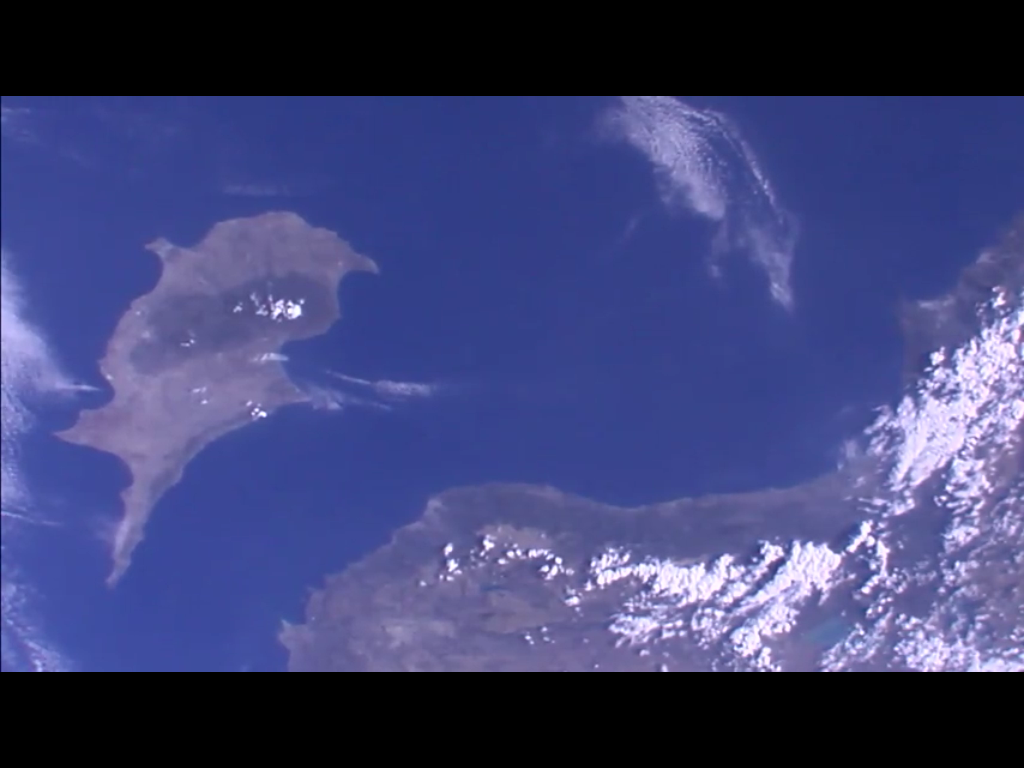 Then there appeared this huge, distinctive, almost familiar island.
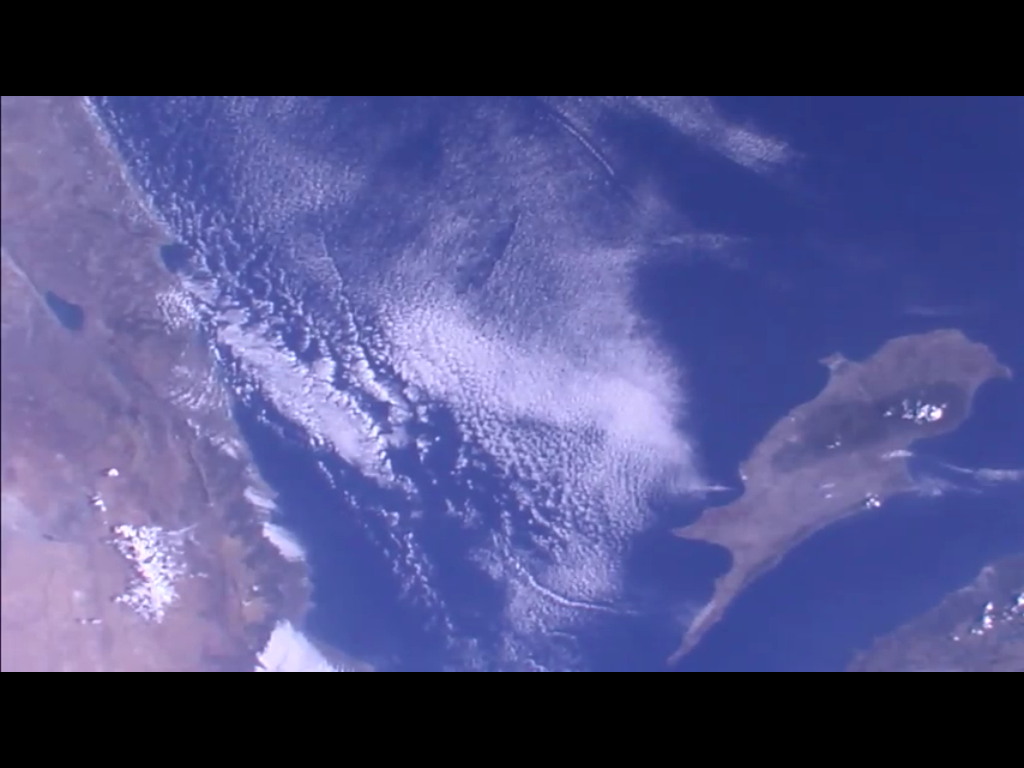 As the island moved to the right, another new coastline came into view.
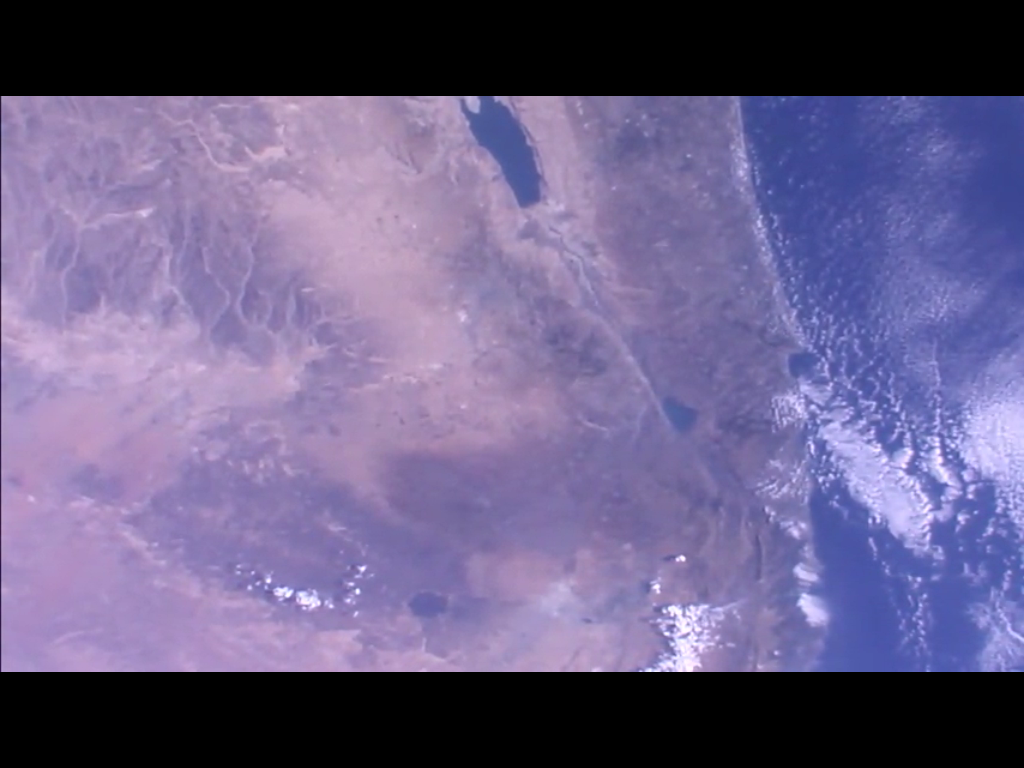 Perspective is important. I know that the ISS is always travelling from northwest to southeast or from southwest to northeast, depending on where it is in its orbit. Descending node or ascending node, and if you google it, it’s the orbital mechanics definition, not the astrology definition. (Don’t even get me started on astrology!)
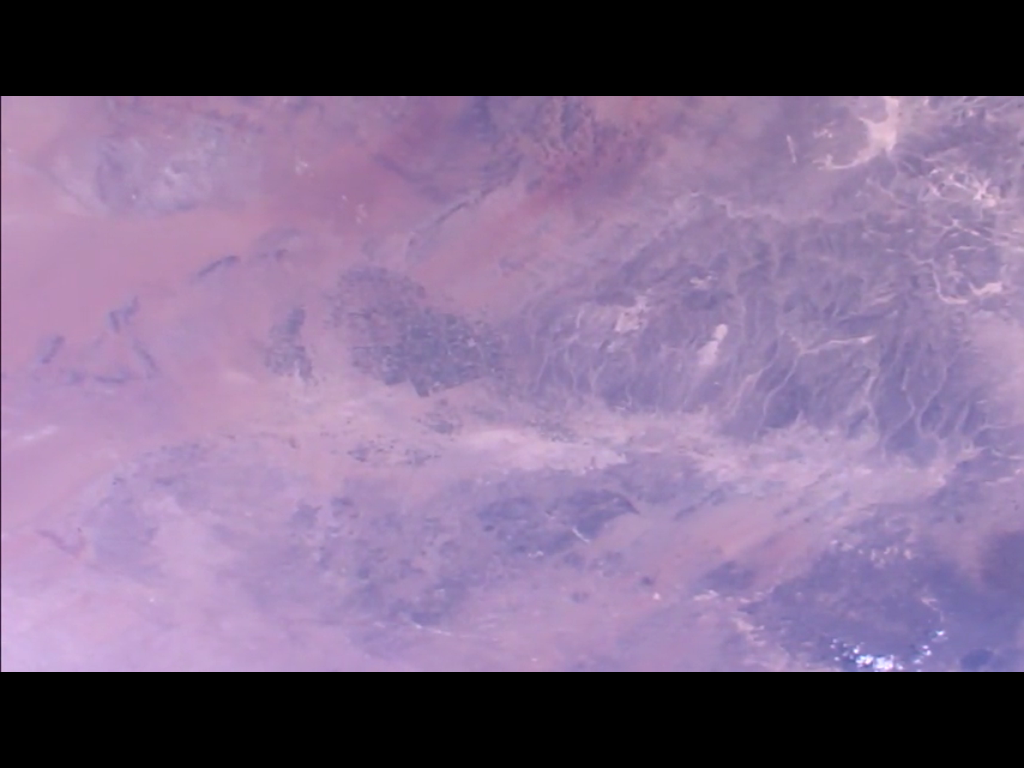 Finally we’re over lots of brown and red and tan mountains and dirt — but there’s something interesting there just to the upper left of center, at the base of that mountain range, might be a large city. But if so, which large city?
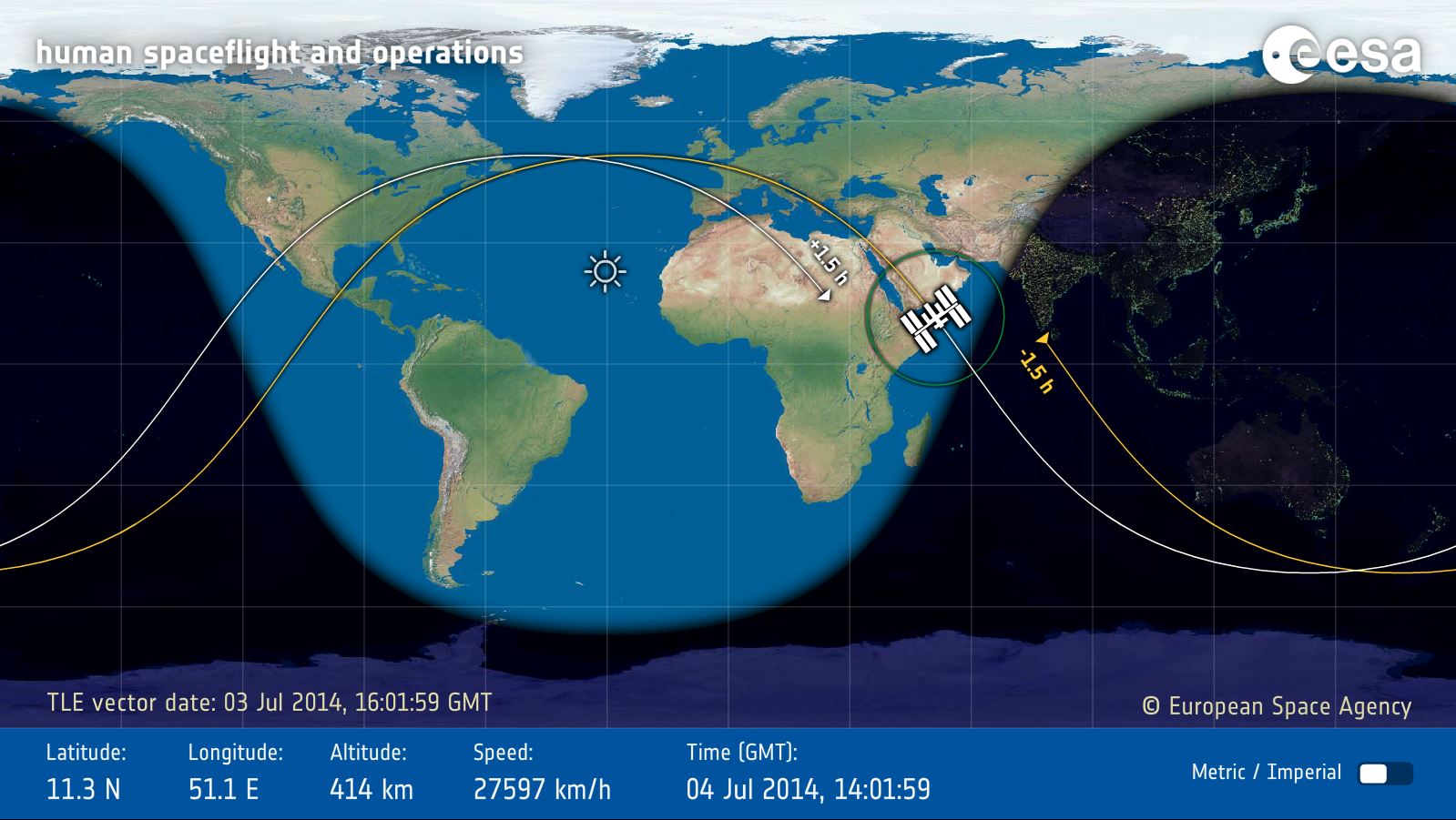 Image: ESA
Quickly loading up the European Space Agency’s site that shows where the ISS is at any given time, I see that we just came over Europe, Greece, and the Arabian Peninsula. (The orbital track is in yellow and ISS is always moving left to right, west to east.) That makes sense with what we saw. But where exactly? This image can’t be zoomed, unfortunately.
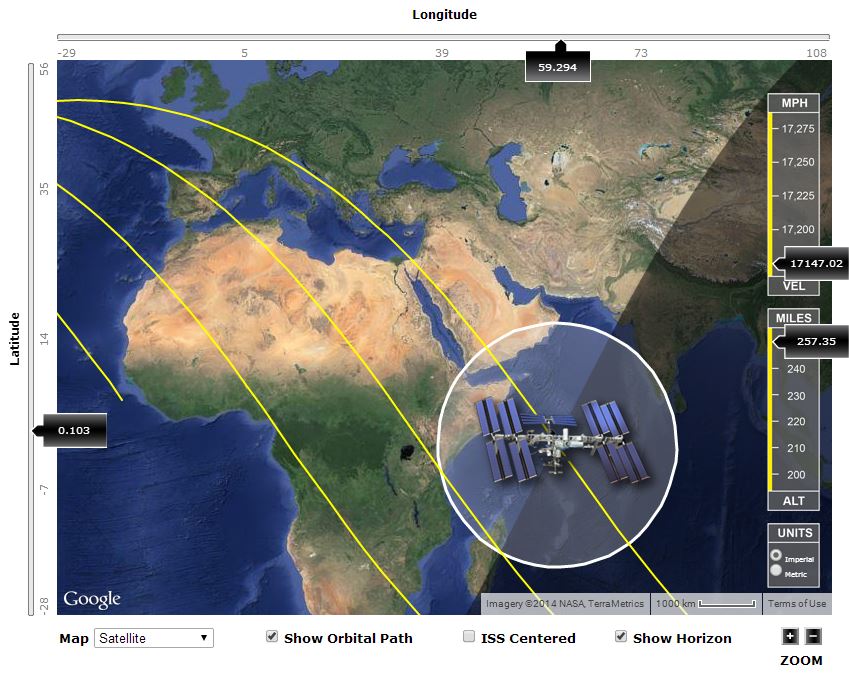 Image: ISS Tracker & Google
The ISS Tracker site has a lot of features that the ESA site doesn’t, including the ability to zoom in or out on the map. Zooming in a bit we get a closer look at what we passed over a few minutes ago. The ISS, of course, has kept on truckin’ and is now over the Indian Ocean, heading south of Australia.
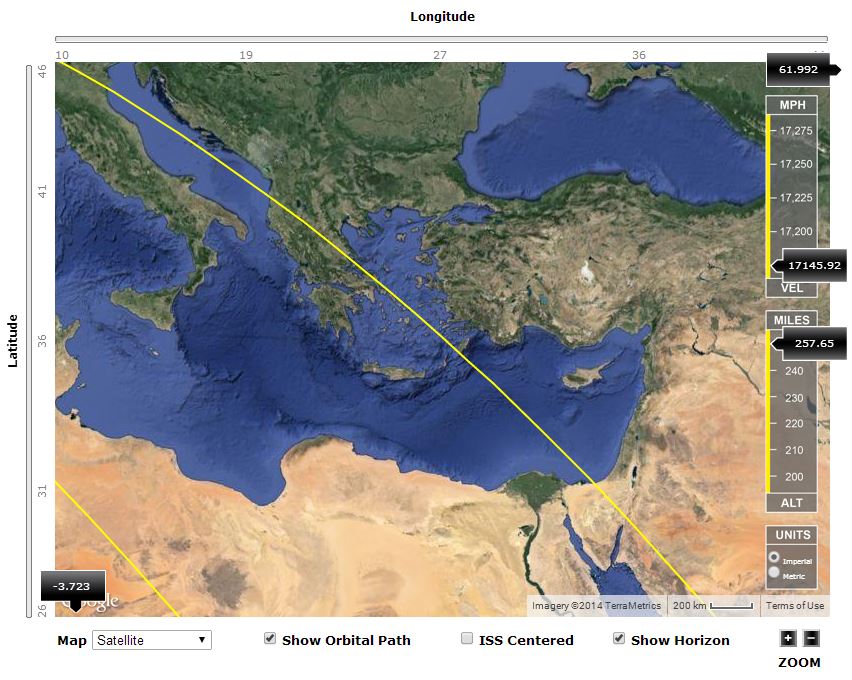 Image: ISS Tracker & Google
Zoom in some more and look back on the orbital track. There’s Greece, with lots of little islands and coastline. And that really big island, which turns out to be Cyprus. And the next coastline we saw was the Middle East.
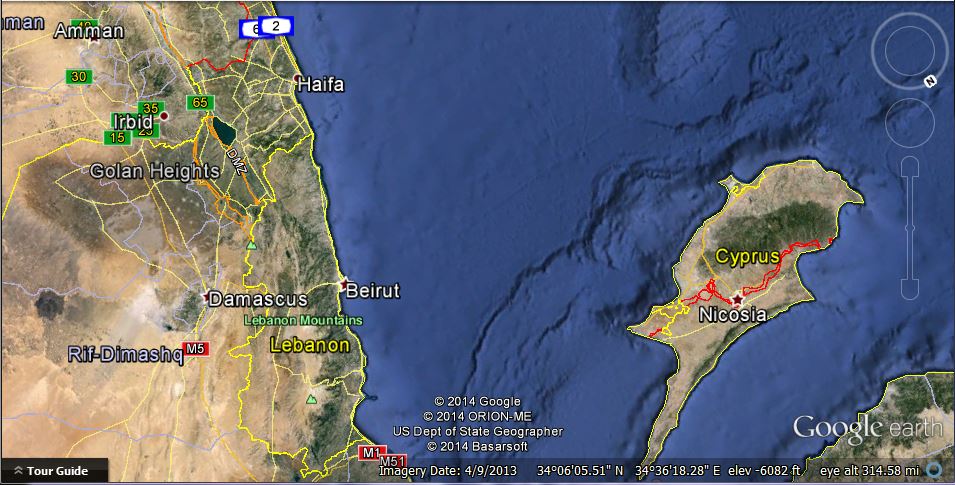 Image: Google Earth
Now let’s go to one of the other more spectacular, neat, and free plaything (that really is not just for play at all) out there on the internet, Google Earth. Why didn’t I immediately recognize Cyprus? Perspective. From the orbital viewpoint, we just happened at that moment to be looking at the world with south toward the top of the picture, more or less. But Google Earth can be spun, zoomed in and out, moved up and down, shifted left to right, until we have a view that’s pretty close to that fourth picture up above. (Stick a pin in that image, at least on Google Maps — yet another wonderful feature.)
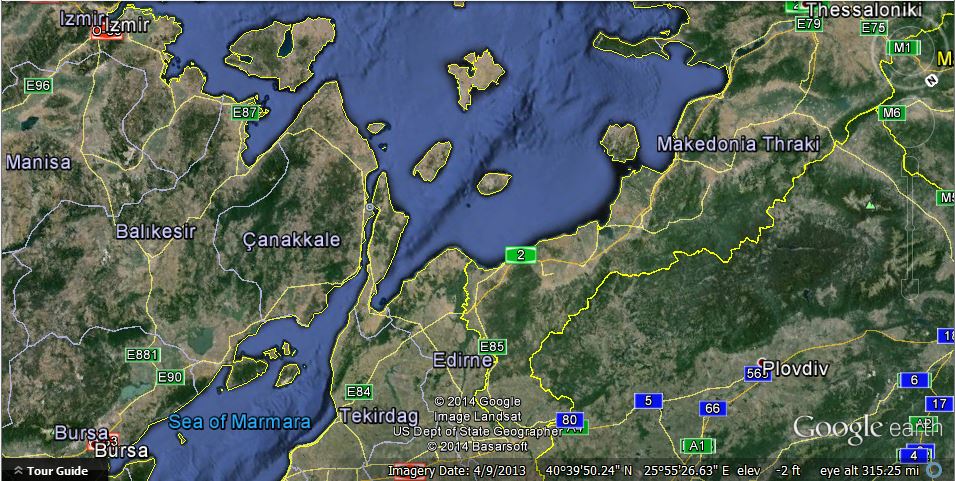 Image: Google Earth
Now that we know what settings on Google Earth will give us a field of view that approximately matches the field of view in the ISS photos, let’s go back to the first picture above, the one with a few clouds but a lot of distinctive islands. We don’t want to rotate the orientation, nor do we want to zoom in or out. To a very good first approximation, the ISS would have been floating along without changing any of those variable, so we can leave the Google Earth settings the same and “float along with it,” at least in this simulation.
Looking for islands that are distinctive shapes and their relative positions to other islands but only moving the Google Maps image up and down or left and right, it doesn’t take long to get this view, which is a pretty good match for the first image. (Another pin.)
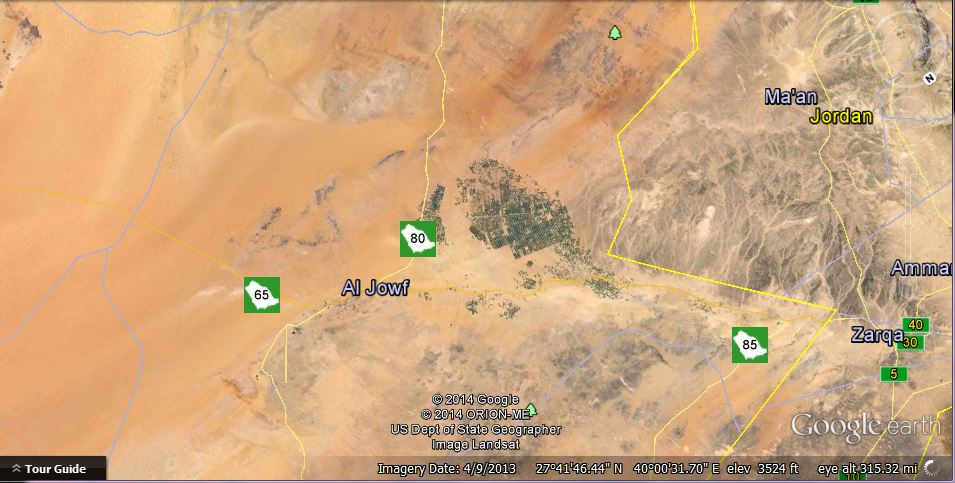 Image: Google Earth
Keep doing that until we get to the final image. Sure enough, there’s that “city”. You can also see how the dry river valleys (which appear white) in the mountains on the right match up to the final image above from ISS. (Final pin.)
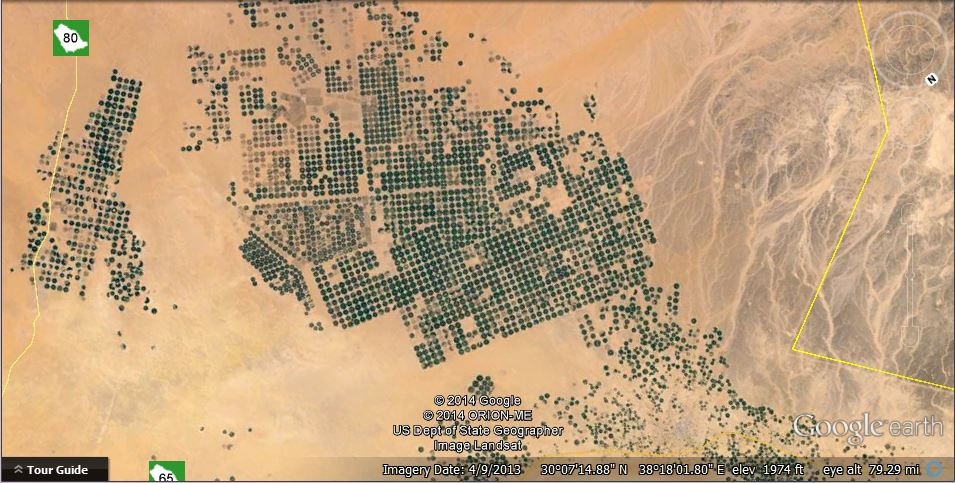 Image: Google Earth
Now that we’ve got that all done and we’re not worried about keeping the same field of view and orientation as the ISS photos, let’s zoom in on the Google Earth image and see what city it might be. Only to find that it’s not a city at all. You can literally “see it from space”, but that’s because the dark, circular, irrigated fields of green crops stands out in such sharp contrast to the featureless tan of the desert. Another mystery solved, but who knew that there were these huge areas of irrigated crops out in the middle of the desert?
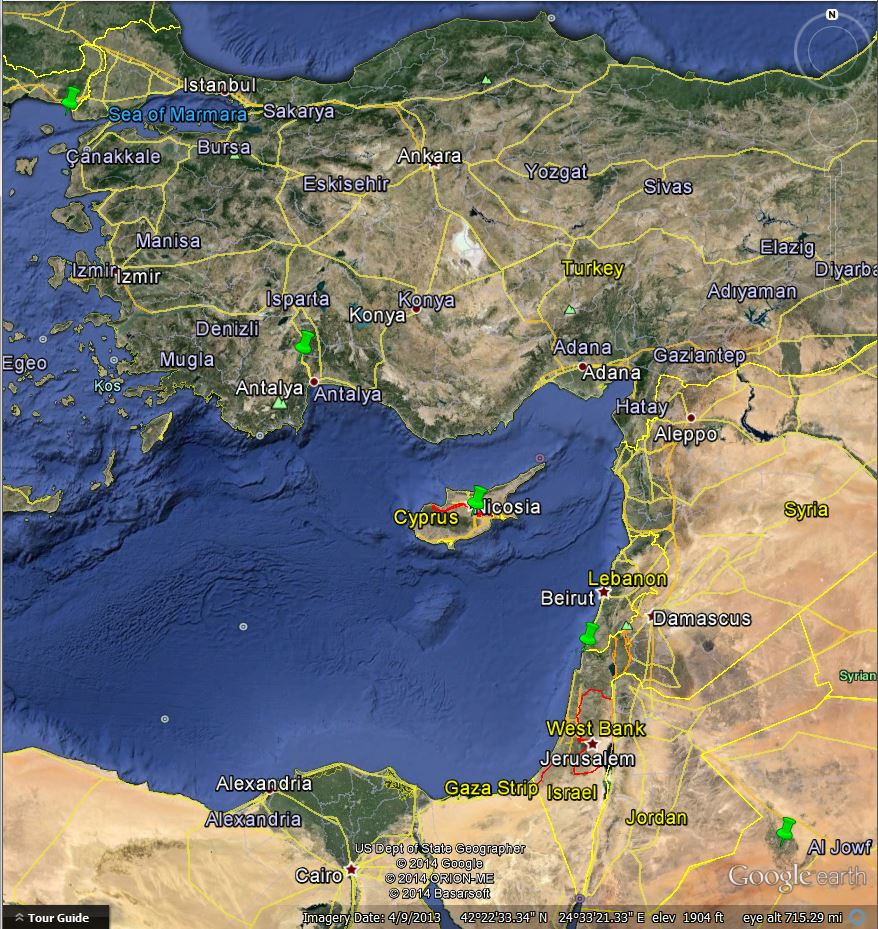 Image: Google Earth
Now we can back up and look at those (bright green) pins we placed, starting with the one looking at the coast of Greece, down to Cyprus, over the Mediterranean coast close to the Israel/Lebanon border, and down to where the desert is blooming near Al Jowf. That was the ISS pass that we saw.
There are two interesting observations to be made. (At least, I thought they were interesting.) First, in the fifth image above from the ISS video feed, the large inland body of water at the upper center is obviously the Red Sea, another good landmark. Secondly, since we know that the ISS camera being used was the one looking straight down, the line of green pins above shows our actual ground track for that pass. But it’s just a bit different than the one shown on the ISS Tracker and ESA maps.
A number of things could account for that. It could be that there’s some margin of error in the actual orbital parameters (two-line element sets) given out to the public. I’m quite sure that NASA knows exactly where ISS is and where it’s going, but that doesn’t mean that the two-line element sets are always up to the second. I’m not sure how often they get updated, but it could be as little as every day (or longer), in which case any maneuvers that the ISS makes will throw it a little bit off of the predicted ground track. The ground track could also be calculated base on orbital parameters published by a private site such as Heavens Above, which may in turn be predictions based on NASA and NORAD data that’s a day or two old.
But we know exactly where it was on this pass, don’t we?
Finally, back at the original point (“Remember Alice? This is a song about Alice.”), can the sixty iPad screen capture images that I saved over four minutes get turned into a video?
It’s a piece of cake, actually. The iPad saves screen captures in PNG format. Microsoft Movie Maker will take them and turn them into a video in any number of formats. (If your newer version of Win7 or Win8 doesn’t have Movie Maker included, you can download it for free from Microsoft’s website.)
Presto change-o! This incredible high-tech HD camera on a freakin’ orbiting 925,000 pound crewed laboratory sent pictures down live from space to the internet which sent it to my iPad, whereupon we identified landmarks using a free high-resolution online map covering the whole freakin’ planet and then used a free program to make a HD time-lapse (a bit jerky) video. No worries!


 We Love The Stars Too Fondly