Category Archives: Computers

Good Karma, Maybe?

And just like that, WordPress is working normally again.

I did get a reasonably intelligent response from their tech support today. They actually acknowledged the troubleshooting I had already done and had reasonable requests for further information. (Run speedtest.net? Sure, no problem, I’ve got 60 Mbps down and 6 Mbps up, so glad we were able to eliminate that quickly.) After writing up close to a thousand words of further details on what works, what doesn’t, what the timeline is, etc, I suddenly had a thought. I went onto The Long-Suffering Wife’s computer, which has never touched WordPress, and logged onto my site. Media updates like lightning.

Was it her computer and something’s messed up on mine? Go back to my office and check it out. Like lightning!

So it’s working again, at least until it’s not. Nothing’s changed here, nothing changed before the problem to start it, nothing’s changed after to end it.

Gremlins! That’s what it was.

And we all know (i.e., I’m pulling this out of my ass, whole cloth) that Gremlins are warded off by good karma. Right? So here’s what solved it:

13592756_10207320024655034_2324898742990149260_n

A “double red” donation.

I should have thought of this earlier!

3 Comments

Filed under Computers, Health

One More Picture

Still having issues with WordPress, still haven’t heard back from tech support. So far I can post text without problem on all platforms, and I can post media (pictures, video, Twitter, etc) from my phone. I can not post any media from the “classic” web interface, and from the “new & improved” web interface I’m getting media to post about one time in ten.

Just saying, if all of a sudden you don’t see anything posted here for a bunch of days, it either means I picked off by a runaway crosstown bus or that I’ve lost all ability to post. It could happen.

In the meantime, here’s a “test” image picked at random, to go along with the previous 3,751 posted in the last forty months or so.

Now THAT's A Good BBQ! - DSCN4127

This is how we know it was a good barbecue around here! (That’s the back of my right hand, with much of the hair curled & burnt off from a flare up – no harm, no foul. It grows back.)

1 Comment

Filed under Castle Willett, Computers, Photography

WordPress Problems

Racing the clock last night to post by 23:59 was not my idea of a good time. The fact that WordPress decided to go flaky then only made it that much more “special.”

Tonight I started early so that I could troubleshoot the WordPress problem of last night. Yep, something broken! I can’t upload any new images or media at all. Not from any one of about three different methods, old and new, built into the WordPress interface. Not on different computers. Not using different browsers. Not clearing the browser cache. Not turning the whole freakin’ internet off and then turning it back on. (Sorry, that was me!)

Very frustrating. I’ve sent a request to their tech support. We’ll see how well that works.

I apparently CAN email myself the photo, save it on my iPhone, and then upload it to WordPress using the iPhone app.

THIS is what you missed last night at 23:59!

Aren’t you glad that tonight I was stubborn and got it posted “early,” at 23:58?

3 Comments

Filed under Computers

The Sound You Hear

Well, THAT sound is the fireworks being shot off up on the hill by knuckle-dragging, mouth-breathing, pinhead excuses for human beings who apparently think the “EXTREME FIRE DANGER” warnings (not to mention the dozen-plus active brush fires in SoCal) are for everyone else. I know that the LAPD is probably stretched thin, but couldn’t we spare one officer to make sure these clowns end up sitting in a cell someplace until at least the 5th?

But the OTHER sound you hear is the wailing of the war drivers who can no longer mooch off of our wi-fi. (Note for the record – I have absolutely NO reason to believe that any of our neighbors are actually are doing this. They all are lovely people.)

We’ve been having more and more serious and more frequent issues with our internet connection for the last two weeks or so. Today I was able to take care of the problem. Our cable modem was years and years old and finally failing. It was relatively simple to swap it for a newer one at the cable company office. They also said that our connection speeds would increase significantly. (That would be a sweet byproduct of this upgrade!)

It turns out that our new modem has built-in, dual channel wi-fi. We had been using a separate wi-fi router before, but it hasn’t had any security on it for a while. It used to – I set it up when I first installed it. But some time in the last year or so it got reset and I got lazy and never put the security back in place.

The good news is that our cable company is now giving out modems with the security protocols enabled by default. To log in, there’s a thirteen-digit, random, alphanumeric password printed on a label on the bottom of the unit.

The bad news is that they don’t bother to tell you this or give you anything that might even vaguely resemble an instruction sheet or manual. God knows how the average lay person figures out how to log in, let alone change the security settings on the equipment. But when it comes to tech, I’m not the average lay person.

After googling for the model’s user’s manual, I figured out how to log in (without calling customer service!) and found the built-in utility for updating modem settings to be better than average and quite easy to use. I first figured out how to change the SSIDs to “WeLoveTheStarsTooFondly” and “ToBeFearfulOfTheNight.” (There are two because of the dual-speed access.) I changed the passwords, then changed the password and username to log onto the modem.

As a side note, does anyone want to guess how many of these modems in the greater LA area have the username still set at “admin” and the password still set at “password”? I’m thinking that greater than 50% is a sucker bet, and I wouldn’t necessarily bet against it being greater than 75%.

But here at Castle Willett we’re tight now. A good, secure set of passwords, solid security protocols activated, and the hardware firewall set to kill, not stun.

If we find our yard tee-pee’d tomorrow morning I suspect it will be from some frustrated war drivers.

The thought makes me smile.

4 Comments

Filed under Castle Willett, Computers, Fireworks

Who Could It Be?

A couple of days ago I posted an odd creation I had made by goofing around with IrfanView, which I was using because I’m slowly setting up a new computer and I hadn’t re-installed Photoshop yet.

That situation was corrected this evening.

To test the firepower of this fully armed and operational battle station installation I took something random off of my Twitter feed tonight and started goofing around with it.

But it’s a game – you can play!

Here’s your clue – the original photo contained someone named in a Tom Lehrer song – can you see them and who is it?

File Jun 30. 22 31 19 small

For anyone who’s a regular here, I’m not sure if this is as hard as it might appear at first. We’ll see.

3 Comments

Filed under Art, Computers

Pit Stop

In an auto race (Le Mans, Daytona, Indy, take your pick) it’s a matter of timing and strategy on when you take your pit stops.

While you’re in the pit getting fuel and serviced, the rest of the race is passing you by every second. But you need the fuel, and in particular you often need new tires. The new tires will make you much faster when you do get back out onto the track.

So, if you don’t need fuel but your tires are getting worn and slippery and slow, what’s the tradeoff between time lost in the pit and time gained with every lap once you’re back out on the track? That’s some tricky calculus there.

So it is with other aspects of the technology we use to get things done. In this case, computers.

I have two desktop systems, old Dell towers, which were cutting edge in their day. The one from 2006 can’t upgrade to Windows 10. The one from 2009 has upgraded to Windows 10, but crashes without warning every few days.

It was time.

Now the new system is here and it’s FAST! Since I tend to hold onto systems for a long, long time (see above) I also tend to buy them with the biggest, fastest, and best I can without starting to compete with the Pentagon. This system won’t have the same RAM as the workstations being used by NASA and SpaceX – but it has the slots to be upgraded if I find that I need that. It doesn’t have the disk capacity of a mid-sized office server – but it has enough slots in the tower, connections, and a big enough power supply so that I can add enough to make it so.

It’s fast and powerful in comparison to about 95% of the desktop systems sold today, and compared to “state of the art” from 2006? Like that proverbial Indy racer going up against a 1962 Chevy II wagon with four bald tires and rust holes in the fuel tank. (I actually owned that car, but that’s a story for another day.)

Except…

Except that it I can’t actually USE it to get my actual work done until I get it set up. I had to activate and install the operating system, then start setting up, activating, and registering all of the programs I use. Some, such as Office, are already on the system and just need activation, which still can take way too long. Others can be downloaded and you don’t realize how many little programs you have installed and use every so often until they’re not there. And some are still on a distribution CD or DVD around here somewhere, which has to be found, then installed, then activated, then customized…

Every time I just about think I’ve got my ducks in a row, I instinctively go to click on some program or find some setting that I haven’t taken care of yet. Then it’s time to stop everything and get that taken care of before I can proceed.

Shit, I haven’t installed a printer yet!

But wait, there’s more! After you get all of that done, you have to transfer your data over from the old computers! Some of it’s on Dropbox, and the new system was FAST in downloading and syncing all of the data there, but then there’s all the rest of it…

Right now I have the old 2006 system, the 2009 system, and the 2016 system all running simultaneously on the desk. (It’s a very crowded desk.) For a couple of days I was still working off of the two old systems while setting up the new one. Yesterday I finally made the big leap and swapped in the new one as the primary, while still running the two old ones. (I may actually have to keep the 2006 system running occasionally for a while, since it will be the only one without Windows 10, Win10 won’t run old versions of Quicken, and Quicken is what I use to track the CAF accounting from home.)

It’s still touch and go, and I feel like the Indy driver sitting there, ready to tear off on his new tires to go faster than ever before – but first I have to sit here in my pit stop. I know that I will be faster and better coming out the other side, but in the meantime, the transition is a bitch.

Patience. (And stubbornness!) All will be well.

In the meantime, it occurs to me that this desk might well have more computing power and disk storage space than the entire US government and military had in about 1965. So I’m trying to keep the griping to a minimum.

Trying.

1 Comment

Filed under Castle Willett, Computers

Ask & Ye Shall Be Told

I love living in the future.

We were out at a restaurant tonight, a wonderful, small BBQ place which we’ll gladly tell you about if you’re in the neighborhood. Some nights they have live music, but tonight it was quiet and they just had some music playing over the sound system.

At one point a great song came on, a long, jamming, real bluesy version of “Hey, Joe.” I knew it wasn’t Hendrix, but it sounded a bit like him, and the guitar playing was exquisite. I’m a sucker for a nimble-fingered guitarist.

In the past when I’ve heard something like that, I’ve just been stuck not knowing who it was. I’ve asked waitresses or front desk staff, but usually get a blank stare or at best a, “How should I know?”

Tonight I could have used the SoundHound app on my phone to identify it, but to work well I would have had to be closer to the speakers, which could have been problematic.

Instead, I went up to the front counter and asked. Instead of a blank stare, the waitress tapped on the device running it all and displayed the data for the Pandora Radio track playing. The answer was there!

But how do I remember it? I have a memory like Swiss cheese some days, and I didn’t have a paper to write on. The waitress had moved off to do waitress things and I didn’t want to rummage around on the front desk and cash register to look for something to write on.

So I used my phone to take a picture of the screen. Simple. Fast. Piece of cake.

In case you haven’t noticed, that supercomputer/camera/music player/ebook in your pocket also makes a really easy data collection tool & notebook.

The future is a pretty neat place! Not perfect, but it has its points!

Oh, the artist was Guitar Shorty on the “Walter Trout Radio” station on Pandora. It was 21:03. The album is “The Best Of Guitar Shorty.”

I know all of that because I live in the future!

Leave a comment

Filed under Computers, Music

Self-Abuse

Caught in computer limbo with two primary systems that are both working, but poorly and increasingly unreliably. If they would just get on with it and break, then I could justify just replacing them. As it is, my distaste for our consumer driven, throw-away attitude, honed by the fact that I have the skill set to almost be able to fix it, means that I’m in a little bit of an extremely frustrating quandary.

After doing some more research on what might be available and be able to do what I need (run a two monitor setup, have a metric shit-ton of storage, and be able to have both RAM and disk space expansion options) I decided in fit of madness that I needed to see what might be available in an actual store. I needed to lay hands upon hardware and look to see how many expansion bays there were and how many DVI ports were there.

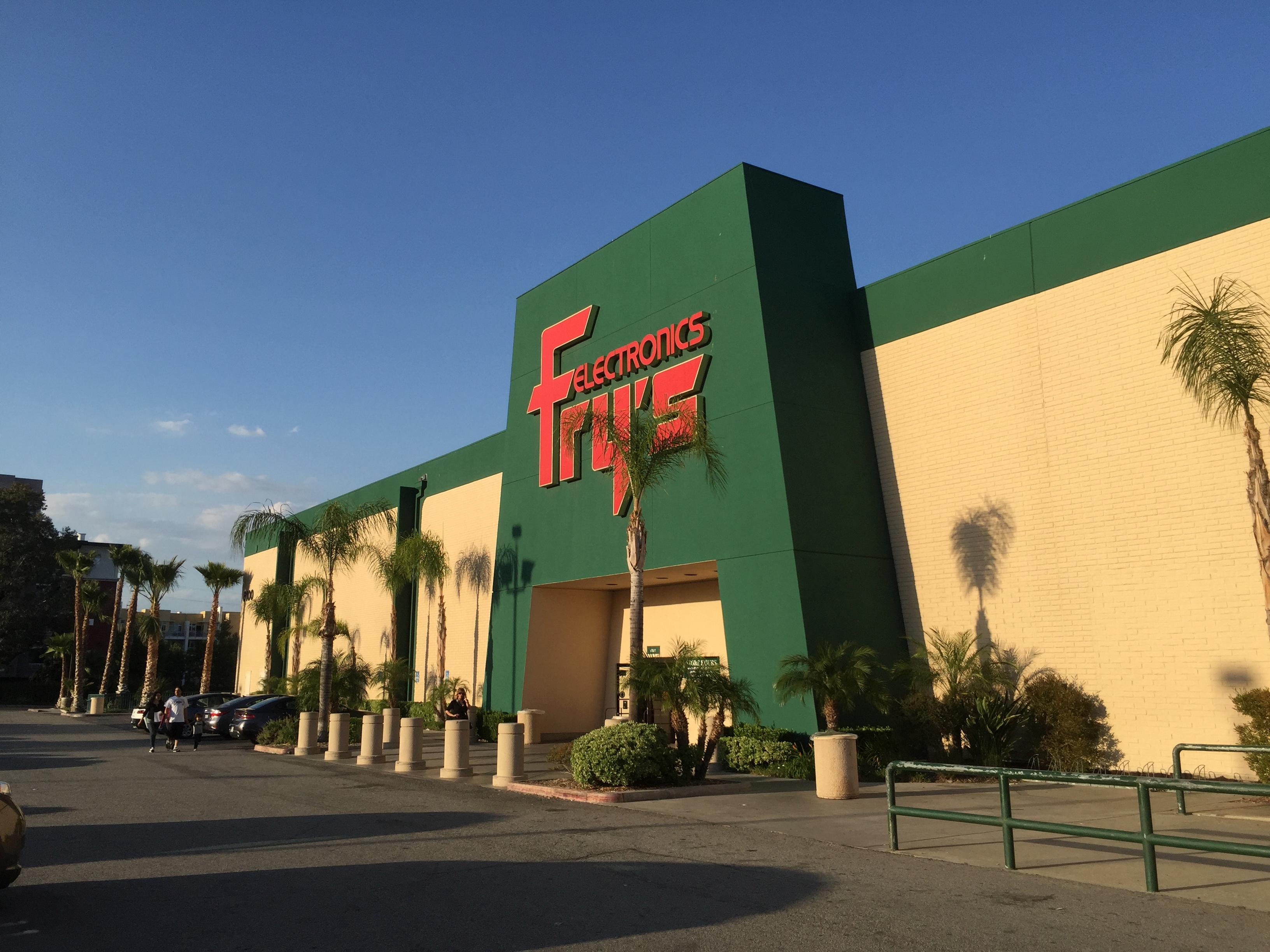
File May 02, 21 55 54 small

As someone said, “There is an evil there that does not sleep.” Nonetheless, steeled with the knowledge that I would not be buying anything, this was just a (potential) information gathering session, I entered those dark doors.

As expected, as soon as wandered into the computer section a “salesperson” attached himself like a leech. What was I looking for? A business system, lots of slots to expand, lots of RAM, big hard disk, dual monitor capability an absolute must. Unless of course he could point out a cheap PCI or PCI Express 1.0 video card with Windows 10 drivers and dual DVI ports? (I would bet $100 that he didn’t understand a single one of those fancy computers words, except for maybe “Windows 10.”)

How about this mini-tower with a Gaming Video Card 1000ZX, it will play any game out there with… I don’t play games. A business system. Dual monitors.

OK, then this Gateway (I swear to god, it’s an actual Gateway – didn’t they go out of business about 25 years ago because they were cheap junk?) with a Gaming Video Card 1500ZX, it will… Listen to me. I’m going to speak slowly and carefully. I. Do. Not. Play. Games.

Got it, sorry, so our top of the line is this Acer something or the other with a Gaming Video Card 2000ZX… Acer? Really? That’s your “top of the line?” I tuned him out and started turning the tower case around so I could look at the video card output. One port. And he started freaking out because I had touched and moved the computer.

Oh, we can fix that! Our tech department will pull that out for you and replace it with a Sooper Dooper Gaming Video Card 5000ZX for only another $300 and it’s got two DVI ports and…

About this time I pointed out that there were two other customers sending up flares to get his attention because they wanted to actually buy something. He yelled at them that he was with a customer. I reminded him that I was not a “customer,” I was a “shopper” and I wouldn’t be spending a cent today.

It worked like a charm. You would have thought that I had summoned telekinetic superpowers to throw him away from me he retreated so fast. I proceeded to look at a couple of systems that might not have totally sucked, but didn’t have the dual monitor thing, so that would be another upgrade I would have to do immediately.

It really is starting to look like building my own systems will be the fastest and easiest way to solve this.

Then, after finding the information I needed on computers, I went looking for anything else that I might need as long as I was already there.

My favorite earphones for when I’m running or exercising? I haven’t been able to find them in a couple years and the ones I have are on their last legs. I didn’t find anything at all that I liked, but I did find this:

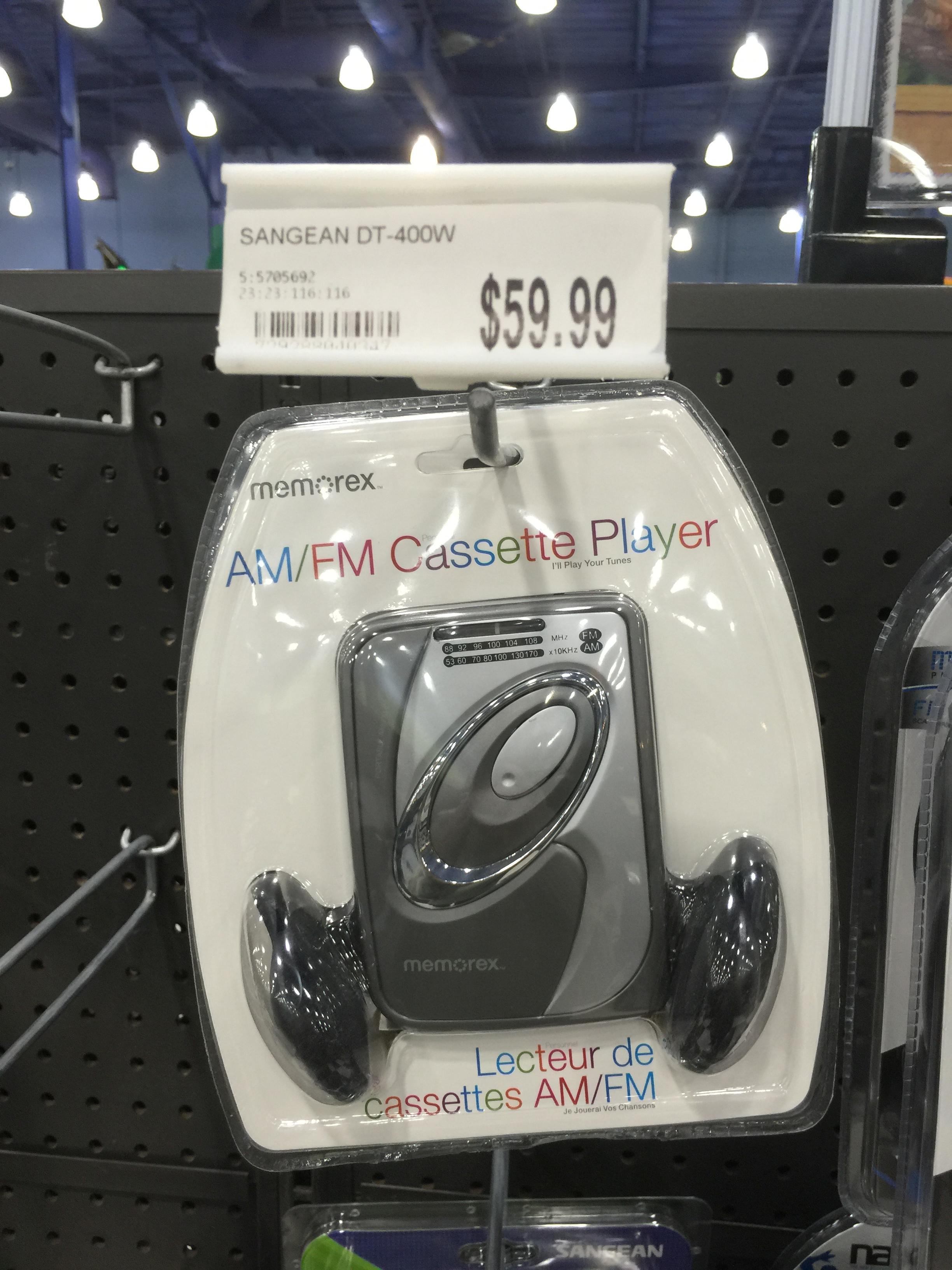
File May 02, 21 56 40 smallSeriously??!! A “sport” AM/FM cassette player? I would have bet another $100 that these hadn’t been manufactured anywhere on this planet in well over a decade, but here it is. In the original packaging nonetheless. I’m thinking that I should have called the Smithsonian, they might be looking for one of these for their collection.

And $59.99? It’s obviously stocked incorrectly, like 99% of the inventory, but the actual price should be more like $5.99. (A quick Google search shows it’s $24.99 at Fry’s, but also available at Target for $19.99.)

I was afraid to go over to the next aisle. I figured that would be where the BetaMax video recorders and the vacuum tube testing machine were.

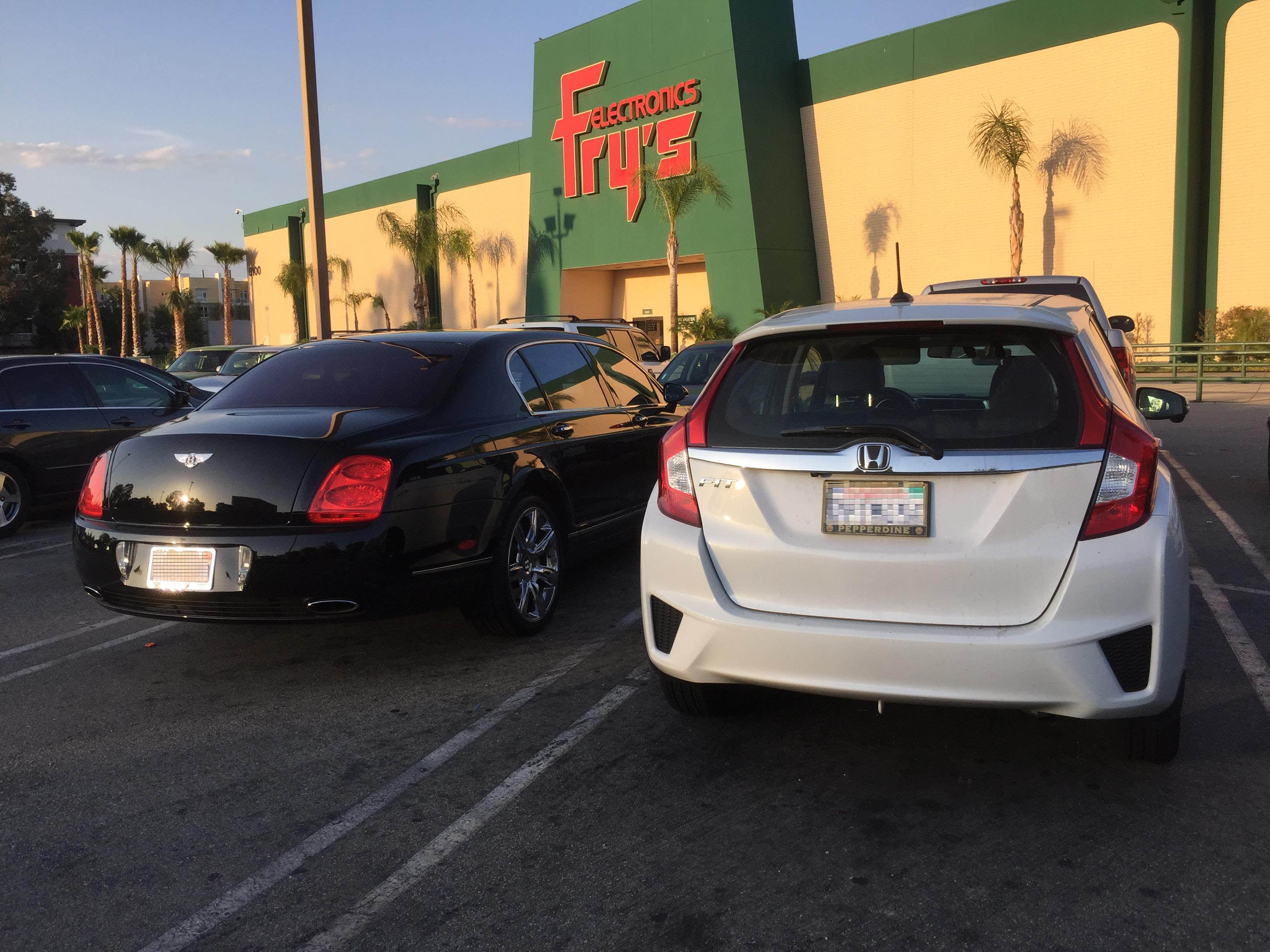
Having exited the building with no dime spent, a bit of knowledge gained, and my soul intact, I was amused to find that even the rich folk come here for their self-abuse.

File May 02, 21 57 22 small

It’s no Maserati, but a Bentley was the last thing I expected to find next to Hissy.

Anyone want to bet that the custom, hand-stitched, leather upholstery on just one of those seats cost more than my entire car?

Leave a comment

Filed under Computers, Photography

Down The Silicon Rabbit Hole

I spent way too much time this week and especially today trying to untie the Gordian knot of my current computer setup. You need to fix “A,” but to do that you need to do “B,” but to do that you need to do “C,” which in turn causes a fatal problem with “D”…

What’s the old line? “When you’re up to your ass in alligators, it’s important to remember that the original job was to drain the swamp.”

Windows 10 has been a bit of a problem on one system (A), and while it was behaving a little better after some tweaking, something still isn’t right. The other system can’t run Windows 10 at all due to old, old hardware and no compatible replacements being built any more. Which doesn’t stop Win10 from demanding permission to upgrade every time I sit down.

Then there was a viral invasion which hit my address book and started spewing virus-ridden spam (B). Given the number of systems here and how heavily they get used, I guess I’m lucky that this is only the second actual infection that I can remember. In trying to shut it down I ran into a problem with my anti-virus software, which should have prevented it in the first place.

Turns out that the anti-virus product I’ve used for years isn’t one of best on the market as it was when I switched to it long ago (C). It was great then, got lots of stellar reviews – but then its little company got bought by a company which got bought by a company which sold off just that product… Bottom line, if you go review it now, it’s “so-so” at best.

So, I’m off to find a really good virus removal tool and top of the line anti-virus program for today (D). It seems that’s Kaspersky, which got five-star reviews across the board on several sites that I trust. Downloading the virus removal tool rooted out the problem (I hope) and I started replacing the old program with Kaspersky. Which was simple and easy on the desktop that’s still running Windows 7 and the laptop that’s now Windows 10. But…

On the desktop that’s been upgraded to Windows 10, that problem with it crashing without warning (not even a Blue Screen Of Death!) has gotten much, much worse now that Kaspersky’s installed (E). In fact, every single time I try to run a full system scan, within a fifteen to twenty minutes the system will reboot.

Lots of Googling and digging deeper into the Win10 diagnostics than I ever wanted to indicates that it’s the video card driver (F). But that system is also pretty old, so there are no updated drivers, nor are there any video cards that will run on that old PCI architecture. Messing around with some suggested fixes has improved the situation to where it now crashes and reboots without warning after a half-hour or so instead of after ten minutes – but it’s still crashing and rebooting.

I then spent a couple of hours digging into the esoteric details of PCI, PCI Express, PCI Express 2.0 and 3.0, and running through the specs on half of the video cards on Newegg.com to see if anything will work (G). The answer is maybe, and the cards in question are only $70 or so, which is reasonable – but they will only support one monitor at a time. Both of the desktop systems are dual monitor setups and I’ll go nuts with just a single monitor.

The solution there is to put in two video cards to run two monitors (H). But the motherboards on both of these old desktop systems each only have one slot that I can still use for any modern video card. Back to square one.

So how old exactly are these systems? Go to the Dell Computer site and look up the original specifications (I) and manuals. One is from 2007, the other from 2009. Well THERE’s your problem!

Given how much time I’ve spent screwing around with this to keep two systems kinda sorta maybe stable and running, maybe it would be faster (and possibly even cheaper) to just look at scrapping them and getting new systems. Let’s see what Dell has (J). They have plug-and-play pre-built systems that have only marginal abilities to be upgraded or expanded, they have extremely expensive systems designed for gaming (I’m not a gamer – I’m trying to get some work done), and they have workstations. The workstations are the closest thing to what I’m looking for, but they start at about three times what I was hoping to pay.

What about Newegg (K)? Or Hewlett Packard? Or Costco? Can I get a system with a big tower configuration that I can expand (I like to be able to customize and tinker and add extra memory and hard disks) for a reasonable price and then upgrade in the future as needed? Maybe. It’s still about 50% more than I was hoping to spend, but it might work. On the other hand, you’re buying it sight unseen from an internet site, and if it’s not what I want I might be stuck.

Maybe I could go someplace where I could actually look at one and see what kind of capabilities it has (L)? Fry’s Electronics was always the go-to place for this, but they’ve gone so far downhill that I dread the very thought of stepping in the door.

So how do I get the systems I want at a price that’s not going to break the bank (M)? It’s been a few years, but I guess I could start assembling a parts list from Newegg and do a DIY system. Start checking on cases, motherboards, RAM options, CPU options, hard disks, optical disks, video cards, power supplies…

And this way lies total madness. I probably have the skill set, rusty as it might be, and I’m sure I could get it done, but the time needed would be way more than I have.

Remember the line about draining the swamp? In this case, the original job is to get my computer systems safe, stable, and functional. Right now they’re borderline and I need to fix that. But it’s NOT a good option to take on a job that could take hundreds of hours when I don’t have time to spare for breathing some days.

Yet I can’t stay where I am (N).

It’s late, I have to get up and go to work tomorrow morning. I think I’ll do the logical thing and go to bed, hoping that the computer repair and upgrade fairies will show up tonight and take care of this.

Or at least they can keep the one system from crashing and the other from spewing out spam.

That would be helpful.

2 Comments

Filed under Castle Willett, Computers, Paul

Is This Bad?

An hour or so I started getting emails from American Airlines and other places I had business accounts with, all saying that either I had sent an email to an address on their system that wasn’t valid, or they were investigating my claim, or…

Needless to say, I hadn’t sent any emails to them. So I checked my spam box:

Capture

This is bad, right?

So I’ve changed this password and I’ve changed that password but I’m PO’d that Earthlink doesn’t offer two-factor authorization! I don’t have this problem with my other accounts because they’ve got decent security available and I use it!

Needless to say, if you get some really funky email from me tonight, I would suggest you not open it. Although, whoever is spoofing my email address doesn’t seem to have access to my address book – most of these seem to be going out to random email addresses and getting bounced.

What a pain.

Leave a comment

Filed under Computers